
123D APPS
Autodesk 123D apps
Autodesk 123D apps
Looking for 123D apps? They have been consolidated into Autodesk apps and software. Find a replacement for your favorite 123D app below.

Autodesk is no longer offering 123D apps
Autodesk is no longer offering 123D apps
Over the past few years, millions of people have unlocked their creativity with the Autodesk 123D apps and community.
We’re incredibly proud of these products, and even more proud of what you all have made with them. But we recognize that the portfolio has become complex.
We are making some changes to simplify our Autodesk portfolio and workflows for people everywhere who love to make things. We are consolidating these tools and features into key apps such as Tinkercad, Fusion 360, and ReCap Pro.
Over the past few years, millions of people have unlocked their creativity with the Autodesk 123D apps and community.
We’re incredibly proud of these products, and even more proud of what you all have made with them. But we recognize that the portfolio has become complex.
We are making some changes to simplify our Autodesk portfolio and workflows for people everywhere who love to make things. We are consolidating these tools and features into key apps such as Tinkercad, Fusion 360, and ReCap Pro.
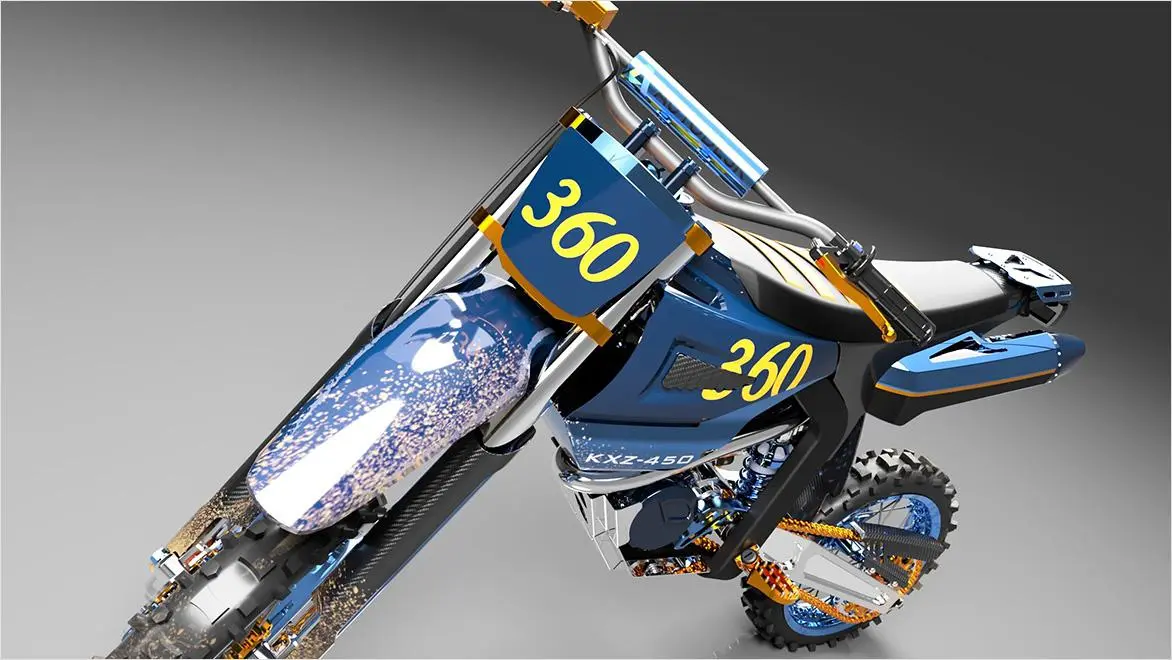
Core features of 123D apps now in Autodesk software
Core features of 123D apps now in Autodesk software
123D apps, a 3D modeling and design tool suite, were renowned for user-friendly interfaces and diverse functionalities. One standout was 123D Design, a versatile modeling tool suitable for beginners and advanced users alike. Through its intuitive interface, users could effortlessly create and modify 3D models, making it an ideal choice for those entering the world of computer-aided design (CAD). 123D Catch employed cutting-edge photogrammetry techniques, helping users transform series of 2D photographs into detailed 3D models. Another remarkable feature was 123D Make, a free app that sliced and converted 3D models into 2D patterns that could be cut flat and assembled using low-cost materials, such as cardboard, wood, or plastic. These apps catered to various aspects of 3D design, from modeling to sculpting, electronics simulation, and fabrication.
To meet the dynamic needs of this user base, Autodesk carefully transitioned the functionalities of 123D apps into its broader software ecosystem. This migration ensured users didn’t lose any valuable features offered by 123D apps; these functionalities were seamlessly integrated into more robust platforms, like Autodesk Fusion 360 and Tinkercad. For example, 123D Make’s technology was built upon and improved in Slicer for Fusion 360, a free tool that offered more options and flexibility for slicing and converting 3D models. By consolidating these tools, users gained access to a more comprehensive suite of features and an extended range of capabilities within a unified environment.
123D apps, a 3D modeling and design tool suite, were renowned for user-friendly interfaces and diverse functionalities. One standout was 123D Design, a versatile modeling tool suitable for beginners and advanced users alike. Through its intuitive interface, users could effortlessly create and modify 3D models, making it an ideal choice for those entering the world of computer-aided design (CAD). 123D Catch employed cutting-edge photogrammetry techniques, helping users transform series of 2D photographs into detailed 3D models. Another remarkable feature was 123D Make, a free app that sliced and converted 3D models into 2D patterns that could be cut flat and assembled using low-cost materials, such as cardboard, wood, or plastic. These apps catered to various aspects of 3D design, from modeling to sculpting, electronics simulation, and fabrication.
To meet the dynamic needs of this user base, Autodesk carefully transitioned the functionalities of 123D apps into its broader software ecosystem. This migration ensured users didn’t lose any valuable features offered by 123D apps; these functionalities were seamlessly integrated into more robust platforms, like Autodesk Fusion 360 and Tinkercad. For example, 123D Make’s technology was built upon and improved in Slicer for Fusion 360, a free tool that offered more options and flexibility for slicing and converting 3D models. By consolidating these tools, users gained access to a more comprehensive suite of features and an extended range of capabilities within a unified environment.
123D Design: try these products instead
123D Sculpt+: try these products instead
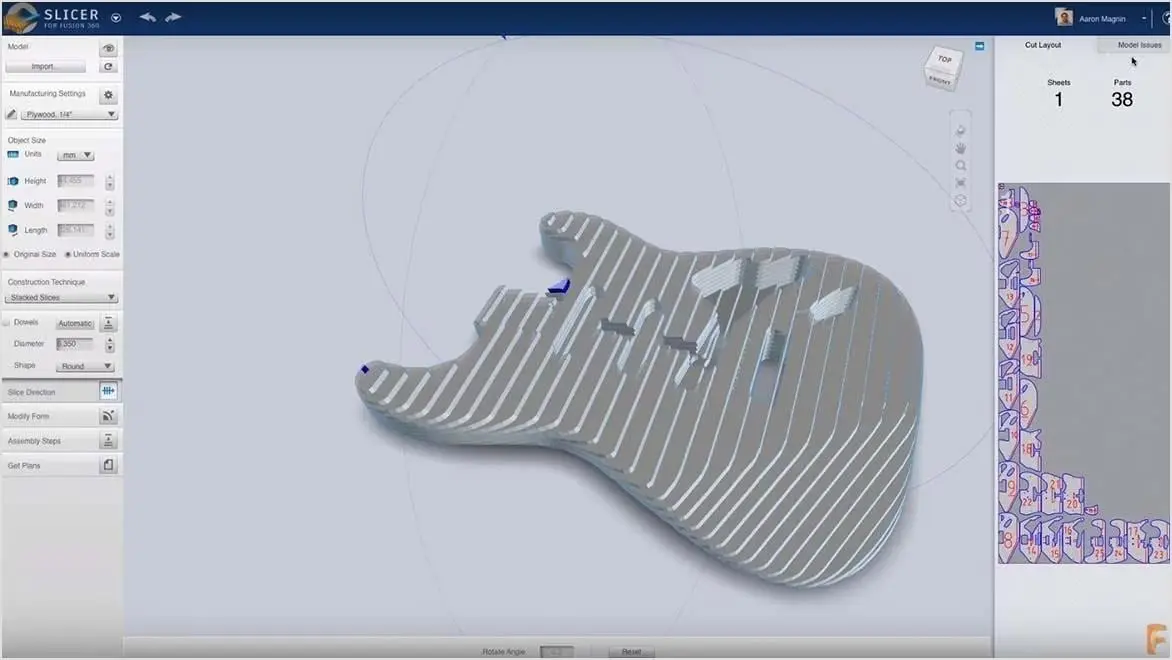
123D Make: try Slicer for Fusion 360
123D Make: try Slicer for Fusion 360
Built upon the 123 Make technology, Slicer for Fusion 360 is a free tool to slice and convert 3D models into 2D patterns that can be cut flat.
To help build a model, Slicer for Fusion 360 also creates 3D instructions you can interact with. Create a model in Fusion 360 and with a few clicks you can send your model to Slicer for Fusion 360.
Built upon the 123 Make technology, Slicer for Fusion 360 is a free tool to slice and convert 3D models into 2D patterns that can be cut flat.
To help build a model, Slicer for Fusion 360 also creates 3D instructions you can interact with. Create a model in Fusion 360 and with a few clicks you can send your model to Slicer for Fusion 360.
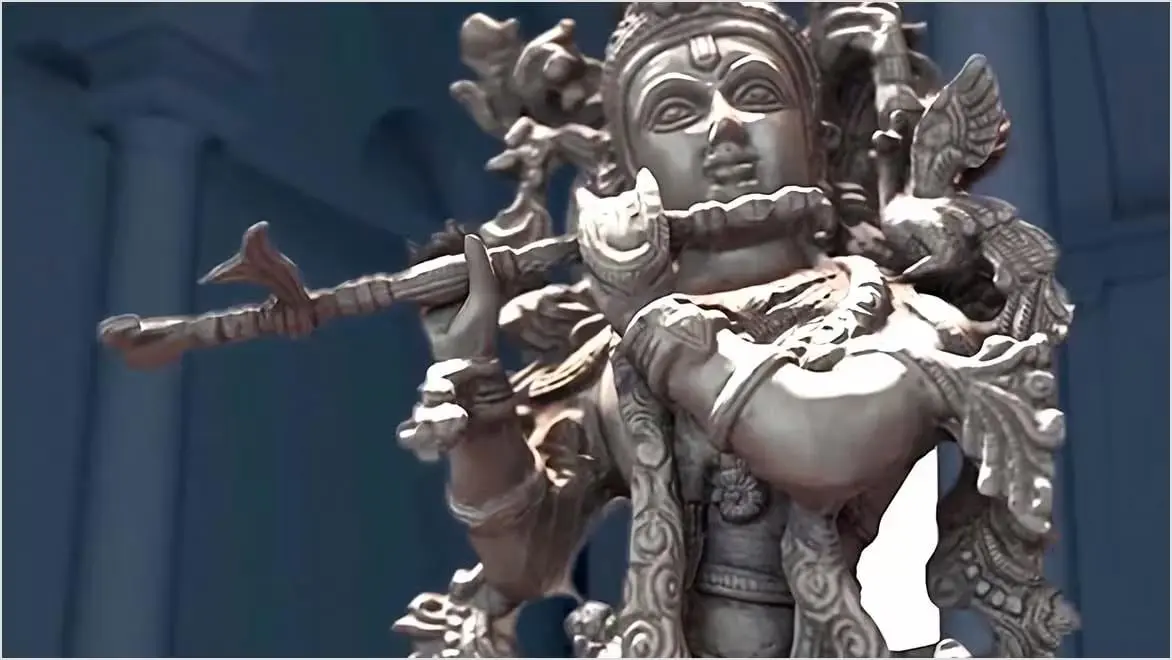
123D Catch: try ReCap Pro
123D Catch: try ReCap Pro
Use ReCap reality capture software to convert reality into a 3D model or 2D drawing that’s ready for further design.
Create 3D models from scans and photos
Import CAD geometry
Combine UAV, drone, and laser scan data
Convert point clouds into a mesh
Expand photogrammetry capabilities
Use ReCap reality capture software to convert reality into a 3D model or 2D drawing that’s ready for further design.
Create 3D models from scans and photos
Import CAD geometry
Combine UAV, drone, and laser scan data
Convert point clouds into a mesh
Expand photogrammetry capabilities

Design and model with Tinkercad
Design and model with Tinkercad
Tinkercad is a free web-based 3D design and 3D printing tool for people of all ages.
Tinkercad is used by designers, hobbyists, teachers, and kids, to make home decor, toys, jewelry, Minecraft models, and more.
Tinkercad is a free web-based 3D design and 3D printing tool for people of all ages.
Tinkercad is used by designers, hobbyists, teachers, and kids, to make home decor, toys, jewelry, Minecraft models, and more.
Frequently asked questions (FAQ) about 123D apps
Is Autodesk 123D still available?
No, the 123D apps are no longer available—the 123D suite of products was discontinued in April 2017. This strategic decision came from a desire to simplify Autodesk’s portfolio and consolidate key features into apps such as Tinkercad, Fusion 360, and ReCap Pro.
Here's a summary of the 123D apps and their replacements:
123D Design was replaced by Tinkercad, a free web-based 3D modeling tool.
123D Sculpt was replaced by Fusion 360, a professional-grade 3D modeling, CAD, and CAM software.
123D Make was replaced by Fusion 360, which offers similar tools for creating 3D printable designs.
123D Catch was replaced by ReCap Pro, a professional-grade 3D scanning and photogrammetry software.
If you were a user of the 123D apps, you can still access your old projects and designs through the Autodesk 360 cloud storage platform. However, you will no longer be able to create new projects in the 123D apps.
Can I still download and use 123D apps?
No, you cannot download and use 123D apps anymore. The 123D suite of products in was discontinued in April 2017 and removed from the website and app stores. If you already have the 123D apps installed on your device, you can still use them, but they will no longer receive updates or support from Autodesk.
The features of the 123D apps have been consolidated into other products, such as Tinkercad, Fusion 360, and ReCap Pro. These products offer functionality similar to the 123D apps but are more powerful and feature-rich.
Why were the 123D apps discontinued?
The 123D apps were discontinued as part of a strategic shift in product offerings. In the process, Autodesk streamlined its portfolio and integrated the functionalities of the 123D apps into other products. This consolidation allowed a greater focus on comprehensive and robust solutions while still providing users with the tools and features they enjoyed in the 123D apps.
By incorporating the capabilities of 123D apps into other Autodesk products like Fusion 360 and Tinkercad, users gained access to a broader set of features within a more unified design environment.
What are some similar software options to 123D apps for beginners?
For beginners seeking alternatives to the discontinued 123D apps, several user-friendly options are available. Tinkercad is an intuitive and web-based 3D modeling tool known for its simplicity and accessibility. Fusion 360 is a more advanced tool that combines parametric, solid, and surface modeling but is still beginner-friendly, offering a seamless progression as skills develop. Explore these options to find the one that best fits your preferences, learning style, and design needs.
How can I migrate my projects from 123D apps to Tinkercad?
Migrating your projects from 123D apps to Tinkercad is a straightforward process. Follow these steps to seamlessly transition your designs to the new platform:
Save your 123D Design files: Export your 123D Design projects as STL or OBJ files. These file formats are widely compatible with various 3D modeling software, including Tinkercad.
Create a Tinkercad account: If you don’t already have a Tinkercad account, sign up for a free account. This will allow you to access the Tinkercad web-based 3D modeling platform.
Import your 123D Design files into Tinkercad: Once you have a Tinkercad account, log in and start a new project. In Tinkercad’s drag-and-drop interface, drag and drop your saved STL or OBJ files from your computer into the Tinkercad project window.
Edit and refine your designs in Tinkercad: Tinkercad offers a comprehensive set of tools for editing and refining your imported 3D models. You can manipulate shapes, add or remove details, and combine multiple models to create more complex designs.
Export your Tinkercad designs: If you need to share or further process 3D designs, you can export them from Tinkercad in various formats, including STL, OBJ, and SVG.
How does the functionality of Tinkercad compare with 123D apps?
Tinkercad and the 123D apps cater to beginners in 3D modeling with user-friendly interfaces. Tinkercad stands out for its intuitive drag-and-drop approach, operating entirely in a web browser and serving as an excellent tool for basic to intermediate 3D modeling, often used in education and prototyping. In contrast, the 123D apps provided extensive modeling capabilities with diverse tools, suitable for users seeking advanced design features. After discontinuation, the 123D apps’ functionalities were integrated into Tinkercad, Fusion 360, and ReCap Pro.