BIM for Architecture: See it with BIM
BIM for Architecture: See it with BIM
Gain more clarity on project details, better visualization of design options, and greater transparency between teams.
Orms; The Standard, London
What is BIM for architecture?
What is BIM for architecture?
Building Information Modeling (BIM) is a way of representing a built asset as a digital model. By capturing all project knowledge in a single, accessible place, it allows you and your stakeholders to explore every aspect of a building–foundations, surroundings, past configurations, and even possible futures.
Building Information Modeling (BIM) is a way of representing a built asset as a digital model. By capturing all project knowledge in a single, accessible place, it allows you and your stakeholders to explore every aspect of a building–foundations, surroundings, past configurations, and even possible futures.
What are the benefits of BIM for architectural design?
Share project data seamlessly
Share project data seamlessly
Creating a single, digital source of truth that all stakeholders can access and contribute to empowers collaboration and speeds project delivery timelines.
Creating a single, digital source of truth that all stakeholders can access and contribute to empowers collaboration and speeds project delivery timelines.
Impress clients and win work
Impress clients and win work
By digitizing and showcasing every angle of your design, BIM helps you communicate your project vision and bring clients with you every step of the way.
By digitizing and showcasing every angle of your design, BIM helps you communicate your project vision and bring clients with you every step of the way.
Deliver better build quality
Deliver better build quality
BIM makes visualization more precise, detects clashes, and enhances design accuracy so that outcomes are consistently more sustainable and effective.
BIM makes visualization more precise, detects clashes, and enhances design accuracy so that outcomes are consistently more sustainable and effective.
Explore projects designed with BIM
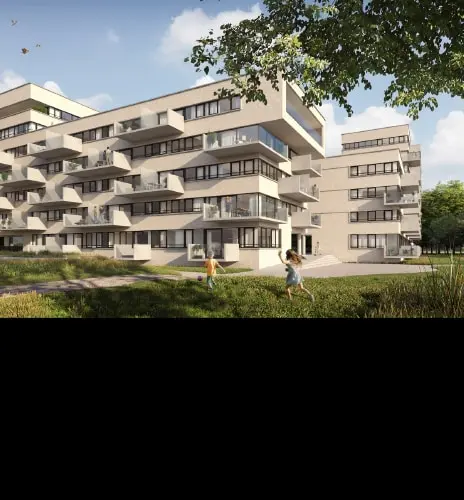


Raising the standard
Raising the standard
More than a technology, BIM is a methodology that streamlines and rationalizes your design processes–so you can focus on delivering the spectacular. See how Orms used it to create The Standard, London.
More than a technology, BIM is a methodology that streamlines and rationalizes your design processes–so you can focus on delivering the spectacular. See how Orms used it to create The Standard, London.

NEW OFFER - Flex now starting at $99
NEW OFFER - Flex now starting at $99
Autodesk Flex lets you prepay with tokens for flexible access to 100+ Autodesk products for a daily rate. Rates vary based on the product used. Flex is a great option for team members or solopreneurs who want to explore a product or only need project-based access. Combine Flex tokens with Autodesk products on select projects to:
Access 3D capabilities, BIM modeling and industry-specific toolsets.
Run advanced simulations, generate photorealistic renders, and access specialized manufacturing tools.
Scale software access up during production peaks without extra seats or long-term commitments.
Our BIM software for architects
Get more from our BIM software

Learn BIM fundamentals in Revit
Learn BIM fundamentals in Revit
Learn tips for high quality visualization and modeling, then dive into best practices for real-life scenarios.
Learn tips for high quality visualization and modeling, then dive into best practices for real-life scenarios.
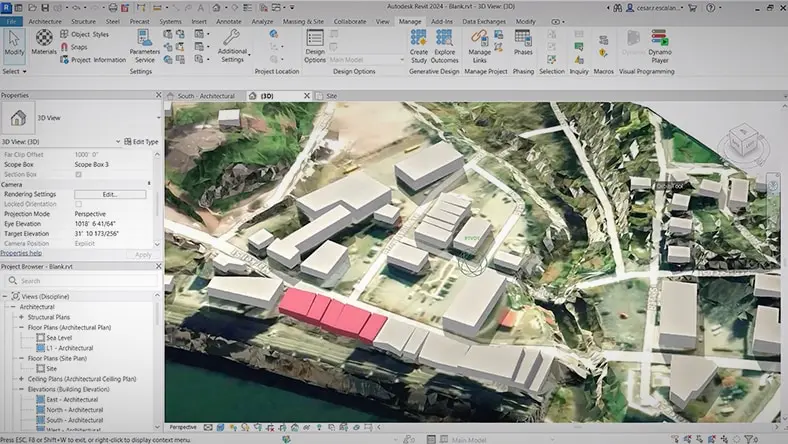
Convert proposals to BIM and back
Convert proposals to BIM and back
Enhance your design workflow by moving proposals and elements freely between Autodesk Forma and Revit.
Enhance your design workflow by moving proposals and elements freely between Autodesk Forma and Revit.
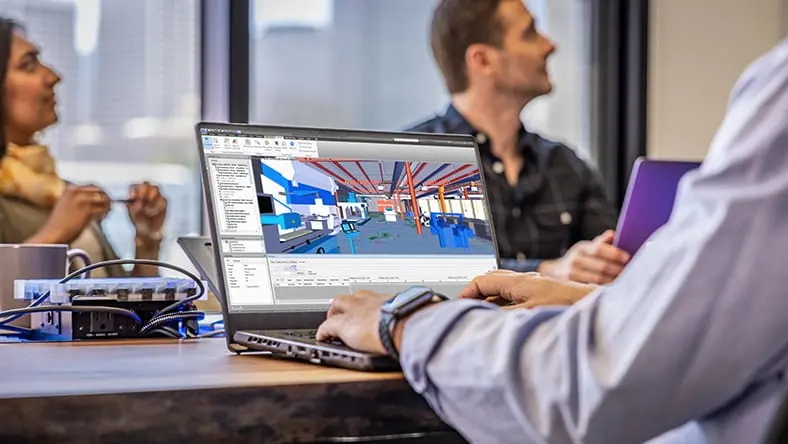
Our Revit quick-start guide
Our Revit quick-start guide
Whether you're a first-time user, or just want to brush up the basics, this is your best resource for mastering Revit.
Whether you're a first-time user, or just want to brush up the basics, this is your best resource for mastering Revit.
More solutions for architects
See impact in greater detail
See impact in greater detail
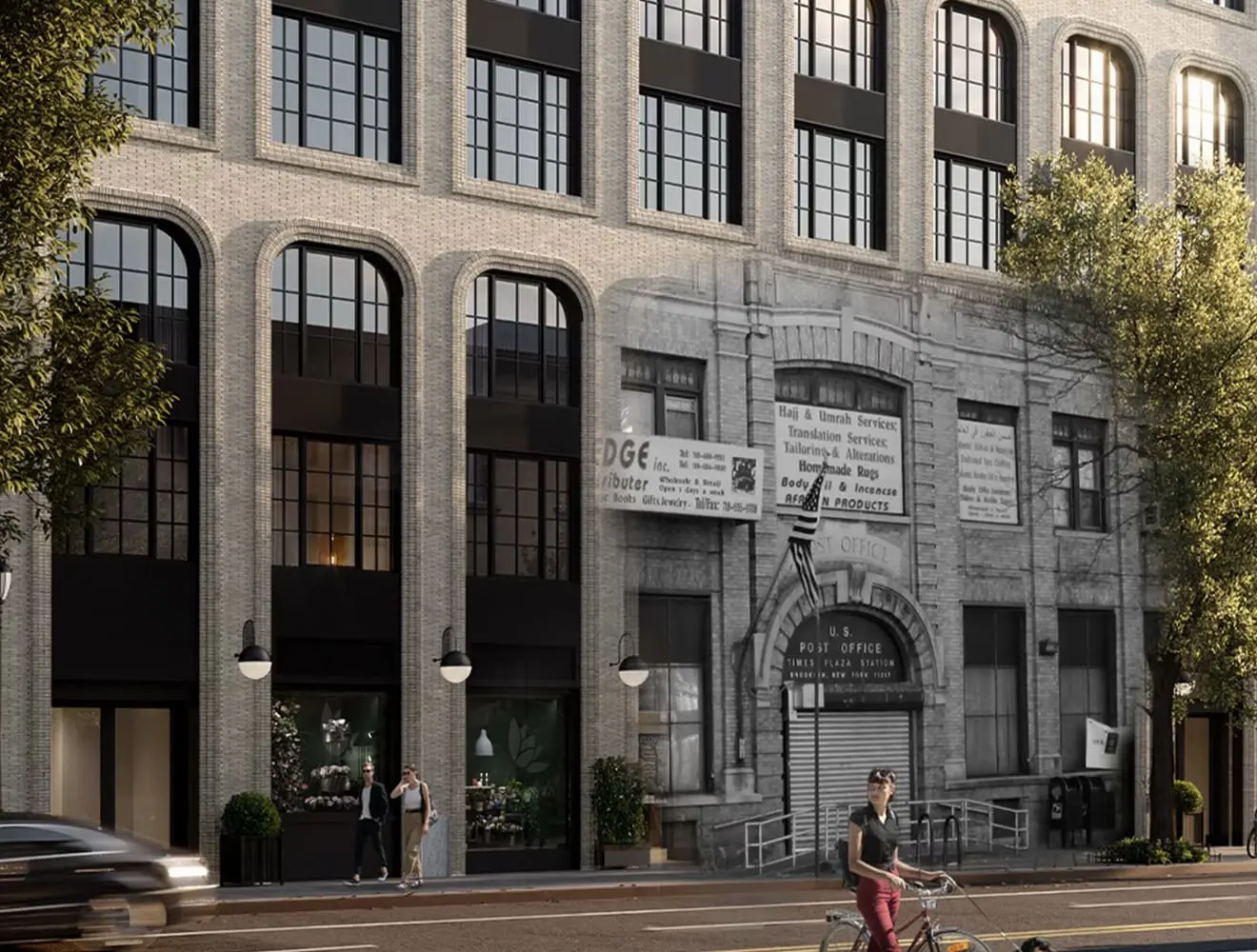
Building in an environmentally-conscious way is more pressing than ever. Our software can help you visualize the impact of different design decisions in real time and understand them more clearly. With renovation projects becoming increasingly relevant, this capability is hugely valuable.
Building in an environmentally-conscious way is more pressing than ever. Our software can help you visualize the impact of different design decisions in real time and understand them more clearly. With renovation projects becoming increasingly relevant, this capability is hugely valuable.
Ready to get started with BIM?
Share your contact information and an Autodesk technology expert will contact you to discuss your current technology, and how we can help advance your building information modeling (BIM) workflows.
Submit this form to request a call or call us directly at 1-(888) 510-3779.
Share your contact information and an Autodesk technology expert will contact you to discuss your current technology, and how we can help advance your building information modeling (BIM) workflows.
Submit this form to request a call or call us directly at 1-(888) 510-3779.
Ready to get started with BIM?
Share your contact information and an Autodesk technology expert will contact you to discuss your current technology, and how we can help advance your building information modeling (BIM) workflows.
Submit this form to request a call or call us directly at 1-(888) 510-3779.
Share your contact information and an Autodesk technology expert will contact you to discuss your current technology, and how we can help advance your building information modeling (BIM) workflows.
Submit this form to request a call or call us directly at 1-(888) 510-3779.
Frequently asked questions (FAQs)
What is BIM for architects?
Building Information Modeling technology supports architects throughout the design process. Modelling in a BIM authoring tool connects the model and documentation together, and allows architects to edit the building in views from facades, sections, 3d and plans. Make a design change once, and all information updates simultaneously. For architects, using BIM means reduced error and rework in projects, reduced overall design time and therefore also improves design quality. Gain more insights earlier in the process to meet your clients’ requirements and deliver projects with improved quality and efficiency.
What are the benefits of BIM for architects?
Make better design decisions earlier in the process with insights into what your design will represent through visualization, coordination, collaboration and analysis tools.
How do architects use BIM?
Architects use Building Information Modeling (BIM) throughout the design process to help improve quality and accelerate design processes with integrated workflows for concept design, modeling, multidiscipline coordination, and construction documentation.
What BIM software does Autodesk have to support the work of architects?
Autodesk provides multiple point solutions to support the work of architects.
Revit: A multifaceted BIM software tool used primarily for creating coordinated and comprehensive model-based architectural designs, as well as MEP and structural engineering projects.
Forma: A conceptual design tool that integrates with BIM processes, enabling architects to create, analyze, and share early-stage design concepts and seamlessly transition to detailed design in Revit.
AutoCAD: Provide tools designed to facilitate the rapid creation of architectural drafting and documentation.
Navisworks: A project review software that integrates with BIM workflows to enable comprehensive analysis and control over project outcomes through the integration of model data and coordination.
Autodesk Docs: A cloud-based platform that enhances collaboration and efficiency in construction projects by facilitating the coordination, construction, and management of project lifecycles within BIM workflows.
InfraWorks: A software solution geared towards infrastructure projects, supporting BIM workflows with tools for creating detailed 3D models inclusive of civil engineering data.
Which is better, CAD or BIM?
Whether CAD or BIM is “better” depend on the specific project requirements. CAD is typically preferred for straightforward drafting and 2D design, while BIM is favored for comprehensive management of complex projects with 3D models and integrated data for enhanced collaboration and efficiency. In complex, multi-discipline project delivery, BIM is often considered superior than CAD as it not only facilitates 3D modeling but also integrates data that informs specifications, schedule, cost, and project management, thereby enabling a more collaborative, efficient, and informed decision-making process throughout the construction lifecycle.
Is AutoCAD toolset a BIM software?
AutoCAD can be used as part of a BIM workflow. AutoCAD is primarily a 2D and 3D computer-aided design (CAD) software used for creating detailed drawings and technical drafting. Design professionals often initiate simple design layouts or two-dimensional details in AutoCAD which can then be imported into a more comprehensive building model, combining the strengths of detailed drafting from AutoCAD with the intelligent modeling capabilities of Revit.
How do we get started with BIM implementation in our architectural firm?
Training & Education: Begin by educating your team on BIM fundamentals through workshops, courses, or online platforms to build a strong foundation in BIM concepts and software tools.
Software Selection: Choose appropriate BIM software, considering the firm's specific needs, and ensure that the necessary hardware and infrastructure are in place to support the chosen software. Autodesk provides the industry's foremost integrated BIM solutions, empowering you to improve your project delivery with unparalleled efficiency.
Developing Standards & Protocols: Establish firm-wide BIM standards and protocols, including data management and collaboration guidelines to ensure consistency and efficiency in project execution.
Pilot Project: Initiate a pilot project to practically implement the BIM processes, allowing the team to gain hands-on experience and make necessary adjustments before scaling to larger projects.
How can the ROI of BIM be measured?
Measuring the ROI of Building Information Modeling (BIM) involves evaluating the tangible and intangible benefits it brings to a project against the initial and ongoing investments. Tangible benefits include time savings, reduced material wastage, and cost savings from fewer errors and reworks, while intangible benefits could encompass enhanced collaboration and improved design quality. To quantify the ROI, organizations should meticulously track project metrics such as the time saved in the project lifecycle, cost savings from avoided errors or changes, and potential gains in client satisfaction and business opportunities from employing BIM technologies.
Is BIM good for small practitioners?
Yes, BIM can be beneficial for small architectural practices as it streamlines design processes, improves collaboration, and offers better visualization and project management capabilities, even for modest-sized projects.